A support form creates a card for every request
Use cases · Support and product teams
Turn feedback into a roadmap you can defend.
Embed a feedback form on your site, work through the answers in one place, mark each one handled with a private note, and let an assistant tell you what people keep asking for.
14 days free · no card needed
- Board Support tickets
- Form Customer feedback
- Pages Weekly feedback summary
- Agent @Reporter
Boards · Team plan and above
Every request has a place, and an owner.
Run your support inbox as a board: New, Triage, In progress, Waiting on customer and Resolved. A request from your website form becomes a card with the customer, category and priority filled in, so nothing is lost between a form and a person.
NewTriageIn progressWaiting on customerResolved
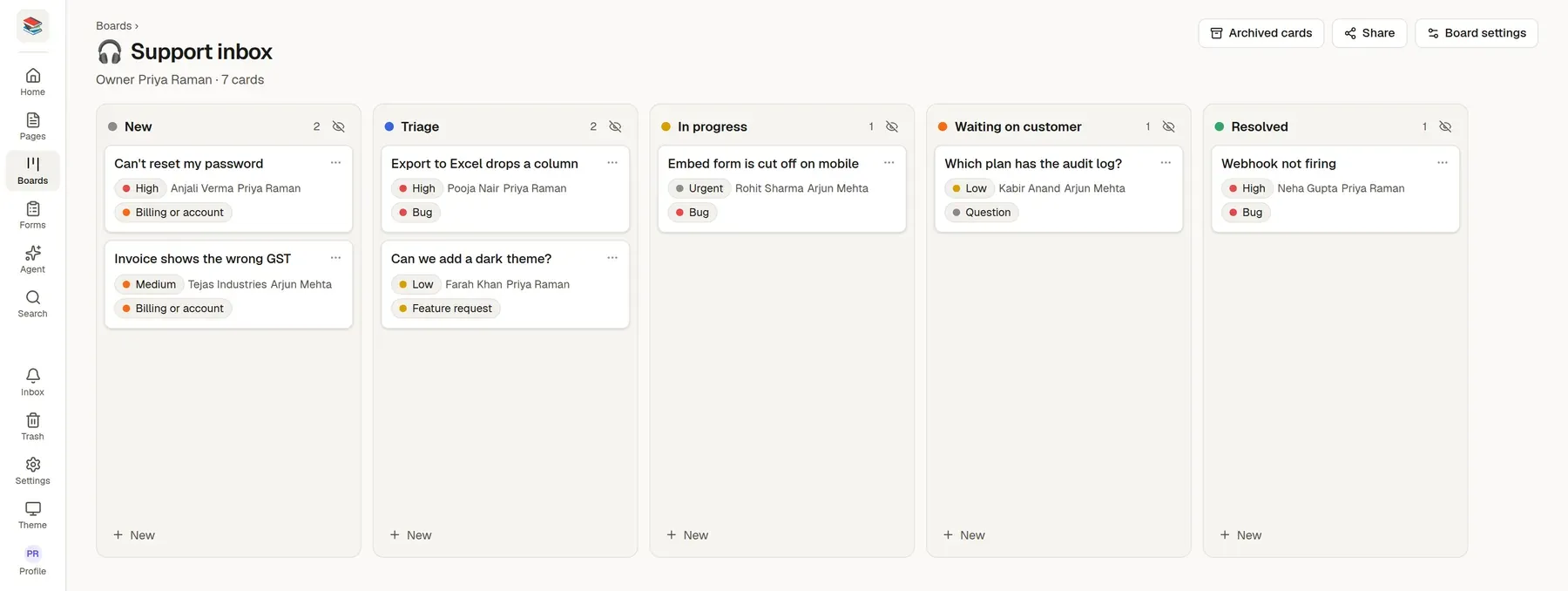
Archiving a card marks the matching response Handled
A weekly agent summary can read the board and group tickets by theme
Each card shows priority, customer, assignee, category. Start from the Support tickets board template and change anything.
How teams like yours set it up
Design the form
Drag fields into rows on a four-column grid: text, email, dropdown, checkboxes, date, rating. Start from the Customer feedback or Support request form template, and keep the Feedback collection, Weekly feedback summary and Customer interview notes page templates beside it.
Publish or embed it
Share the link or paste the embed snippet. It resizes itself to fit your page, on phones too.
Triage the answers
Each response is New or Handled, with a private note the sender never sees. Export to CSV, or send the answers into a sheet.
Agents and pages
See the pattern, not just the pile.
Ask an assistant to group the week's responses by theme with counts, and paste the result into your planning page.
@Reporter summarise this week's responses by theme, with counts
- Captcha (Turnstile or hCaptcha) and a hidden honeypot, plus a rate limit per address
- A signed webhook with a delivery log you can re-send from
- An optional thank-you email to the person who wrote in
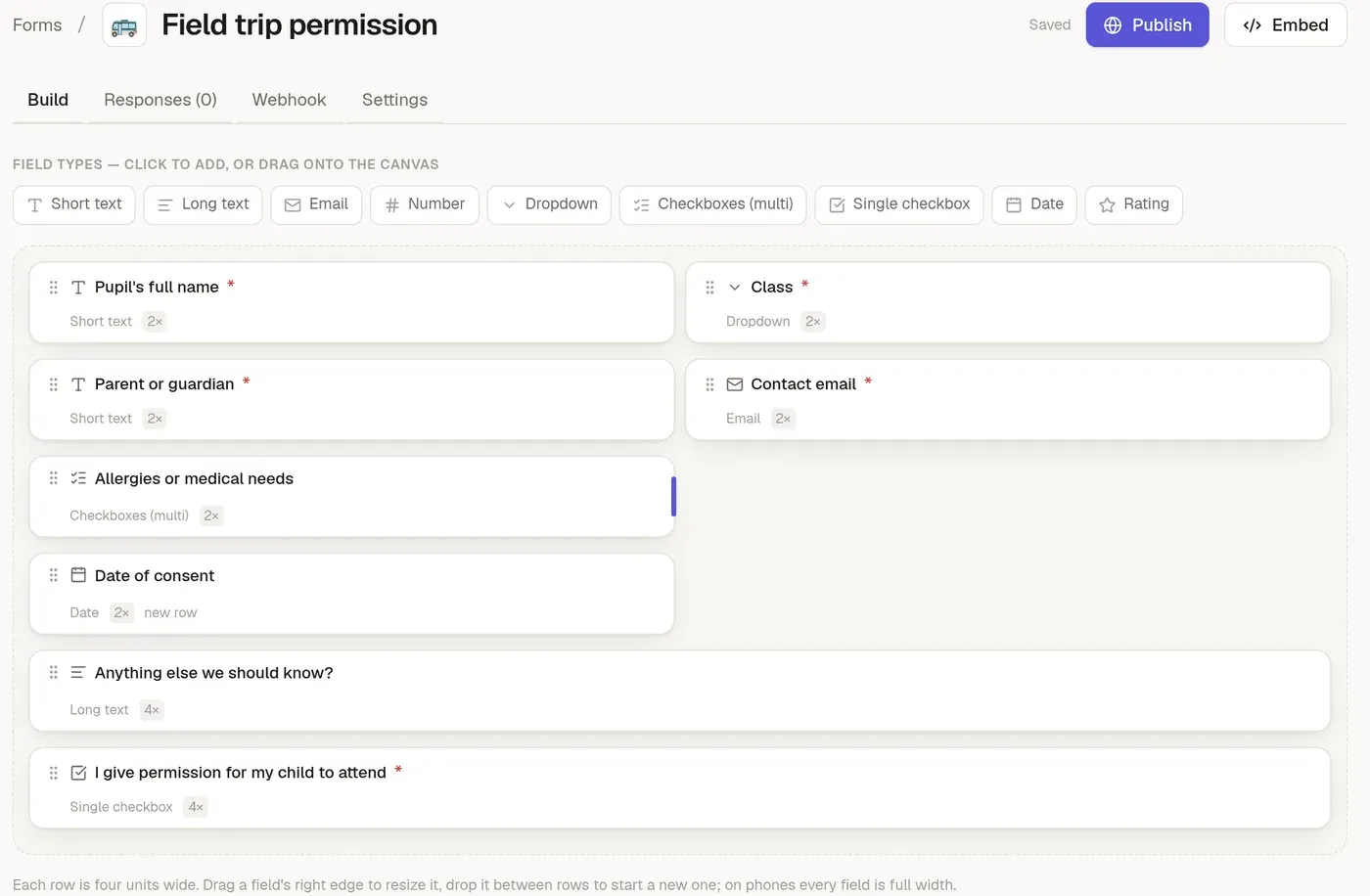
Start from a template
Pick one when you create a page or a form, or ask an assistant to start from it. Change anything afterwards.
Page template
Weekly feedback summary
The themes in this week's feedback, how often, and what you will do.
Sections
- At a glance
- Themes
- Requests worth a closer look
- Fixed or answered this week
- For next week
Page template
Customer interview notes
Who you spoke to, what they said in their words, and what you took from it.
Sections
- Goal of this conversation
- Their situation
- What they said
- Problems and workarounds
- Surprises
- Takeaways
Form template
Customer feedback
A rating, what worked, what did not and whether you may follow up.
Questions
- How was your experience?
- What did you like?
- What could we do better?
- Email (optional)
- You may contact me about this feedback
More page templates
- Feedback collection
- Support reply library
- Bug report
More form templates
- Support request
- Bug report
- Feature request
Why teams like yours switch
Feedback is scattered
Some is in email, some in chat, some in a spreadsheet nobody opens.
No record of what was handled
You cannot tell which requests were answered, so people ask again.
Spam from public forms
Anything open to the web attracts bots.
Try it with your own material
Start a 14-day trial with no card, import a few files and see if it fits.