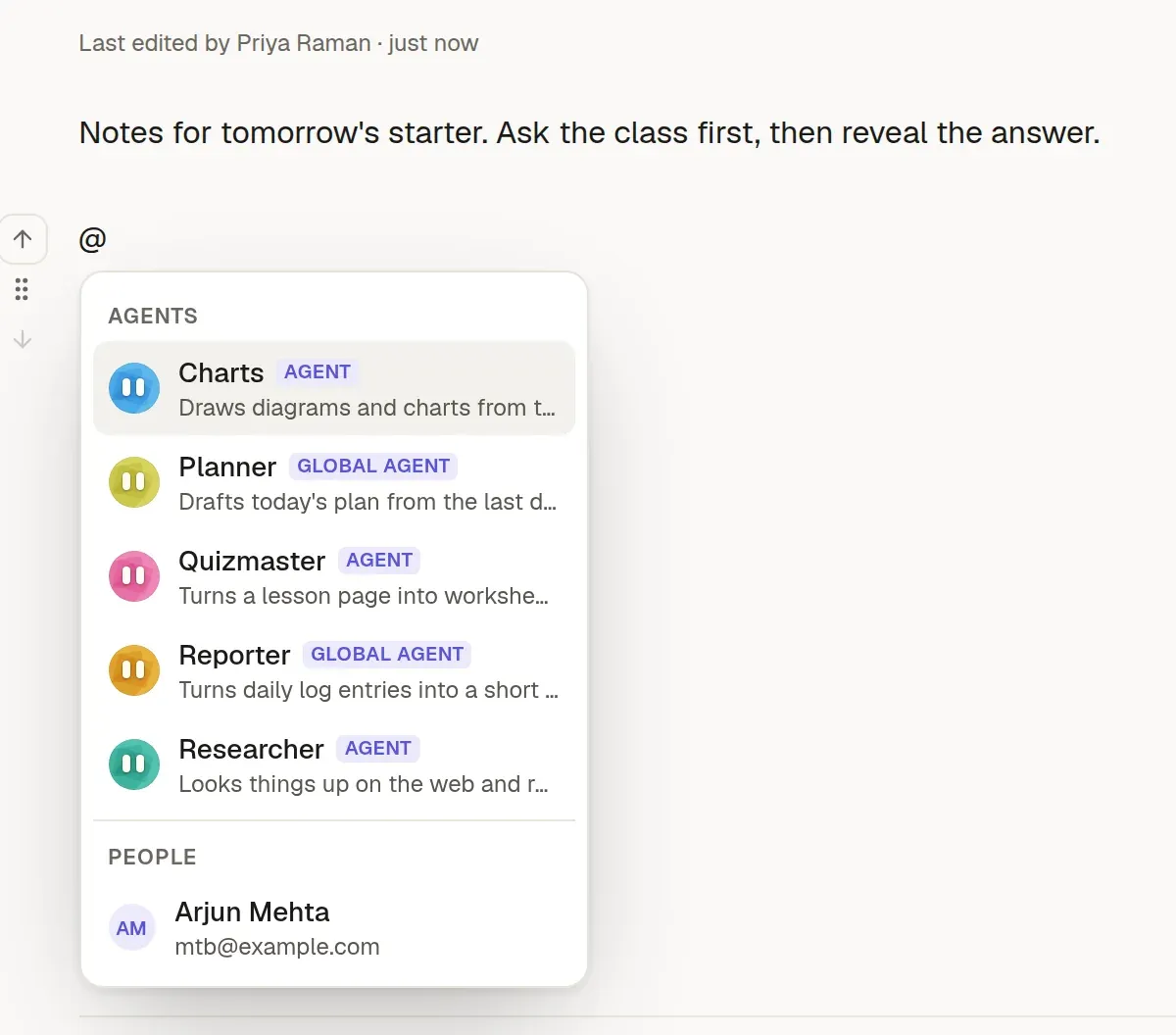
Type @ and pick an agent
Researcher, Quizmaster, Charts, or any agent your team has defined. Teammates are in the same menu.
Agents
No copying prompts into a chat window and answers back out. Ask in the page, and the page gets the answer.
Researcher, Quizmaster, Charts, or any agent your team has defined. Teammates are in the same menu.
Press Enter. The request becomes a block on the page, and everyone sees the agent working.
Formatted, with sources, in the page. If it fails you can retry, and you can stop it any time.
In the page
The same menu lists your agents and your teammates, in separate sections. Mention a teammate and they get an email and an inbox notification, and the editor offers to share the page if they can't open it yet.
The result
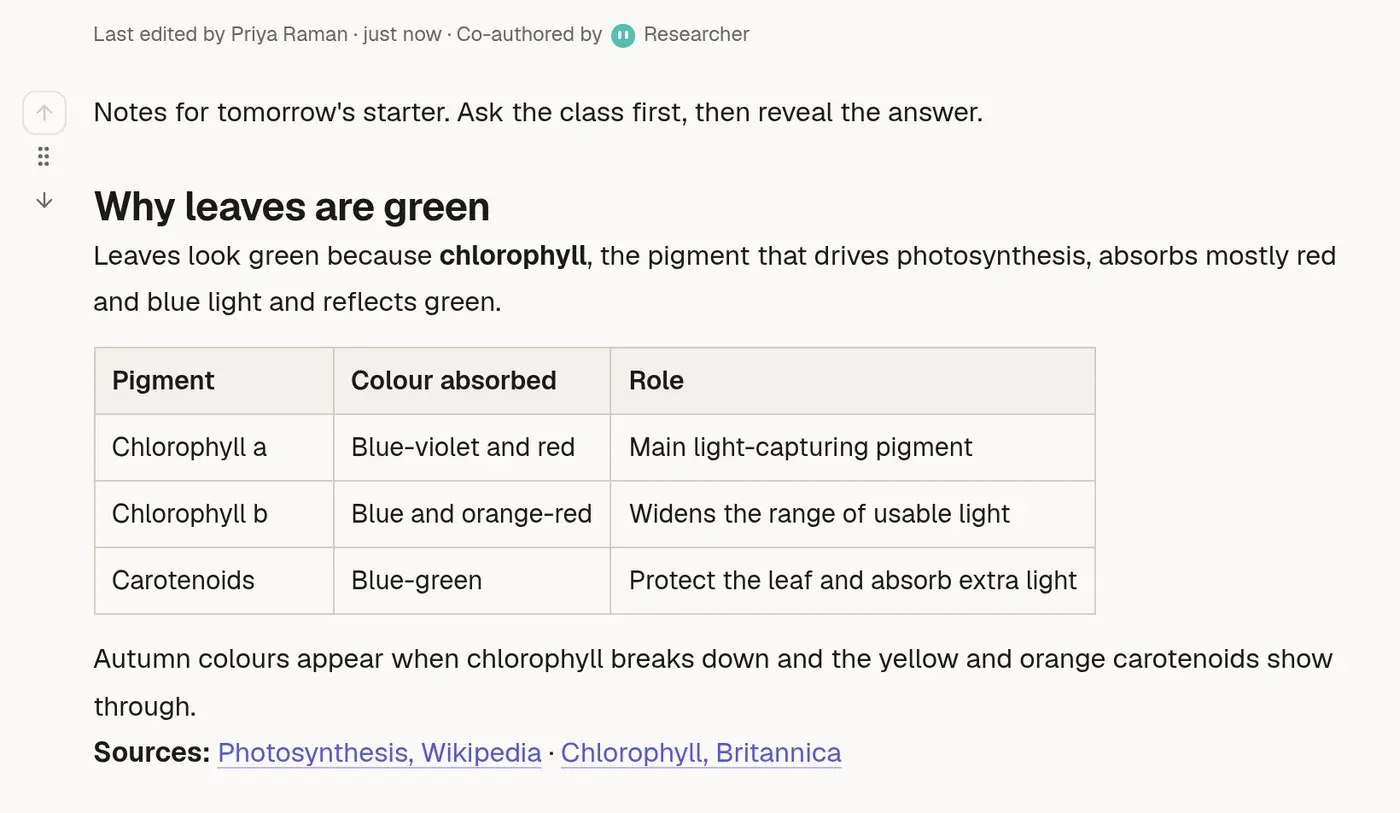
Here the Researcher answered a question for tomorrow's starter, with a table and linked sources. The page header shows it as a co-author.
Your agents
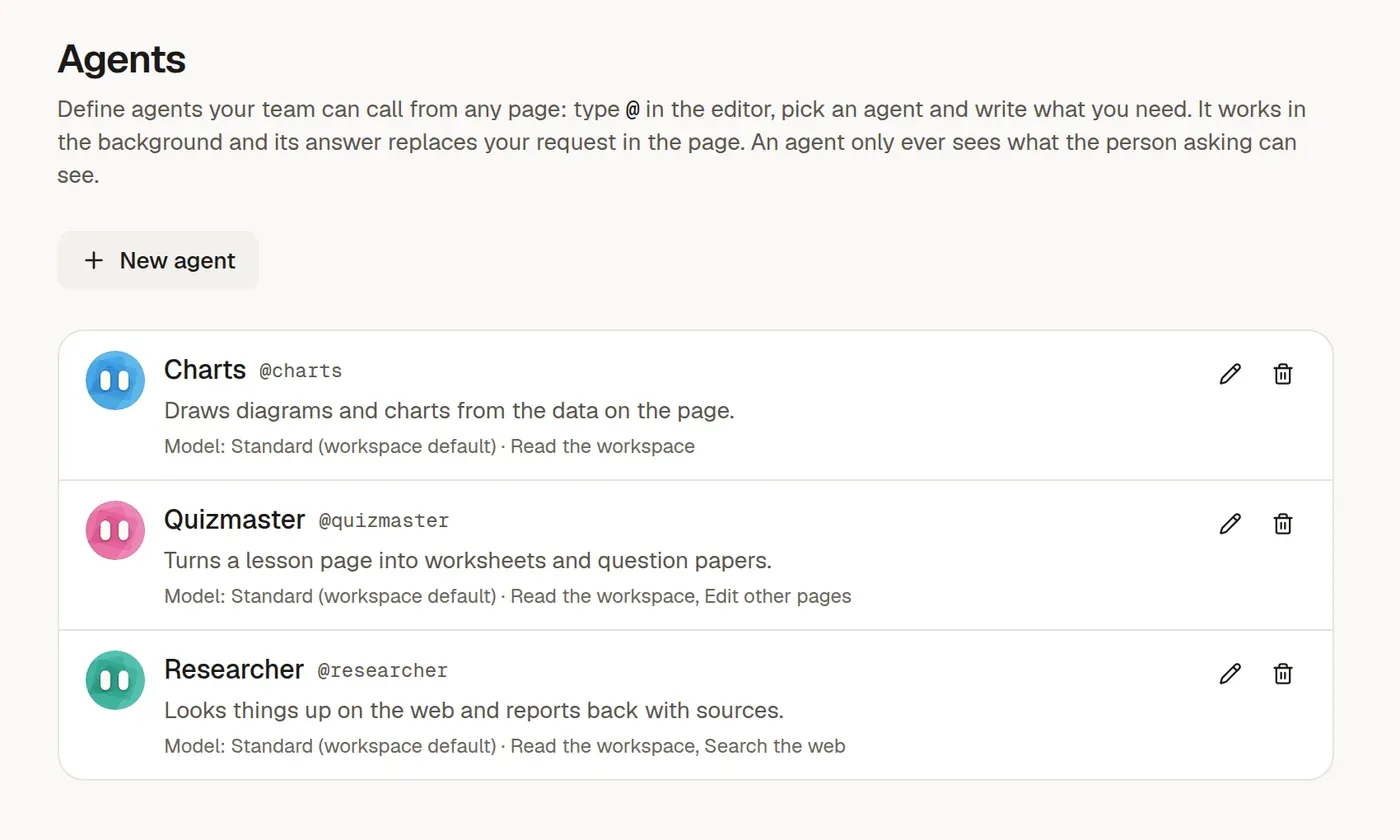
Owners and admins give each agent a name, a colour, instructions, an optional model and the tools it may use. An agent for marking, one for market research, one for turning notes into tickets.
Global agents
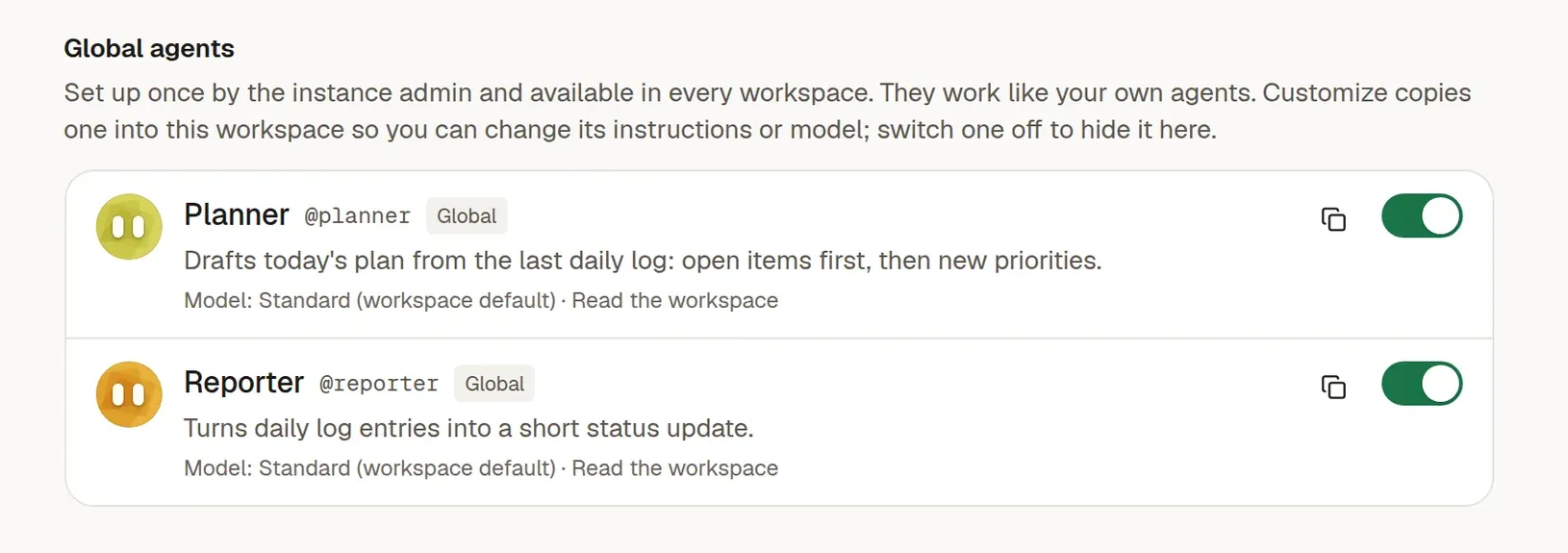
Instance admins create agents that every workspace can call, such as a Reporter that writes status updates from daily logs, or a Planner that drafts today's plan. Each workspace can switch any of them off.
Found one that's close? Customize copies it into your workspace with your own instructions and your choice of model, and it replaces the global one there.
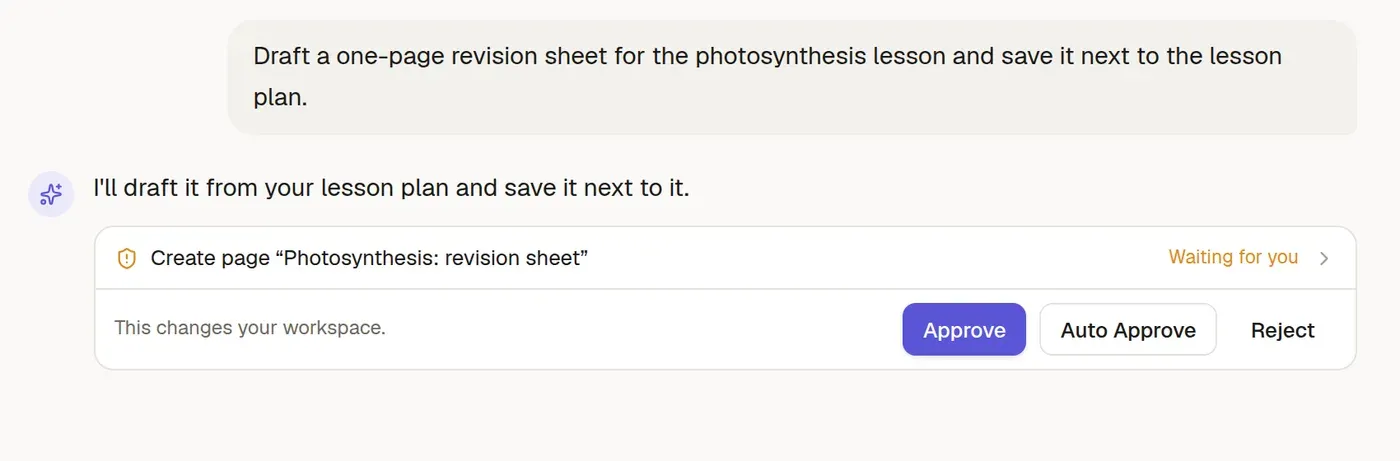
Agent Mode
For bigger jobs, chat with the agent. It proposes each change to your workspace and waits for your go-ahead, or you can let a chat run on auto-approve.
In control
Agents are useful because they can act. These are the rules that keep that safe.
An agent sees and changes only what the person asking can, and only in one workspace.
In Agent Mode, changes wait for your approval. Publishing, making things public and deleting always ask.
Each workspace has a monthly AI budget. A single request can't spend more than its share, and the chat shows what's used.
Requests are checked first, so the agent stays on workspace work. Admins set the policy.
Pages show which agents wrote on them, and for whom, so nothing appears without a trail.
Per agent: read the workspace, search the web, edit other pages, or use trusted connectors.
Outside the app
Connect claude.ai, ChatGPT or any MCP client to a workspace and your pages, collections and forms become something that assistant can read and write, with the same permissions as you. Sign in once with OAuth and pick the workspace, or use a token for scripts.
Start a 14-day free trial, no card needed. Prefer a walkthrough first? We'll show you a setup that fits your work.