📄
Pages that stay organised
Templates, collections, nested pages, fields, tables, diagrams, comments and live co-editing, with view, comment and edit sharing you control.
Pages · Agents · Forms · MCP
TheNoteMaker is a workspace for pages, published docs and forms, with AI agents that work inside it, not beside it. Ask in the page you're already writing, and the answer lands right there.
🎁 Free for 14 days, no card needed. Prefer a walkthrough first? Request a demo.

Templates, collections, nested pages, fields, tables, diagrams, comments and live co-editing, with view, comment and edit sharing you control.
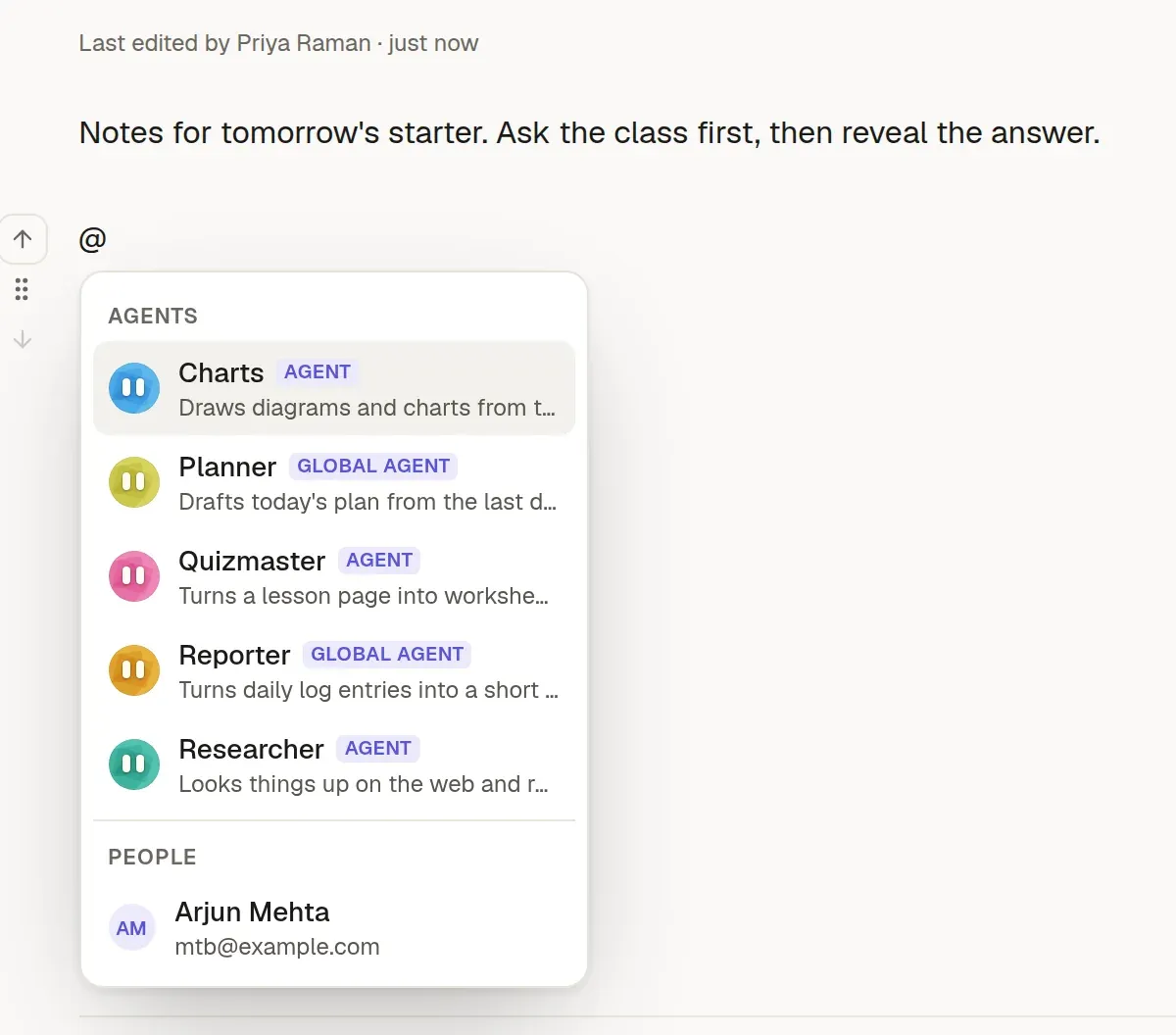
Type @ and ask. An agent does the work in the background and writes the result into the page, with sources.
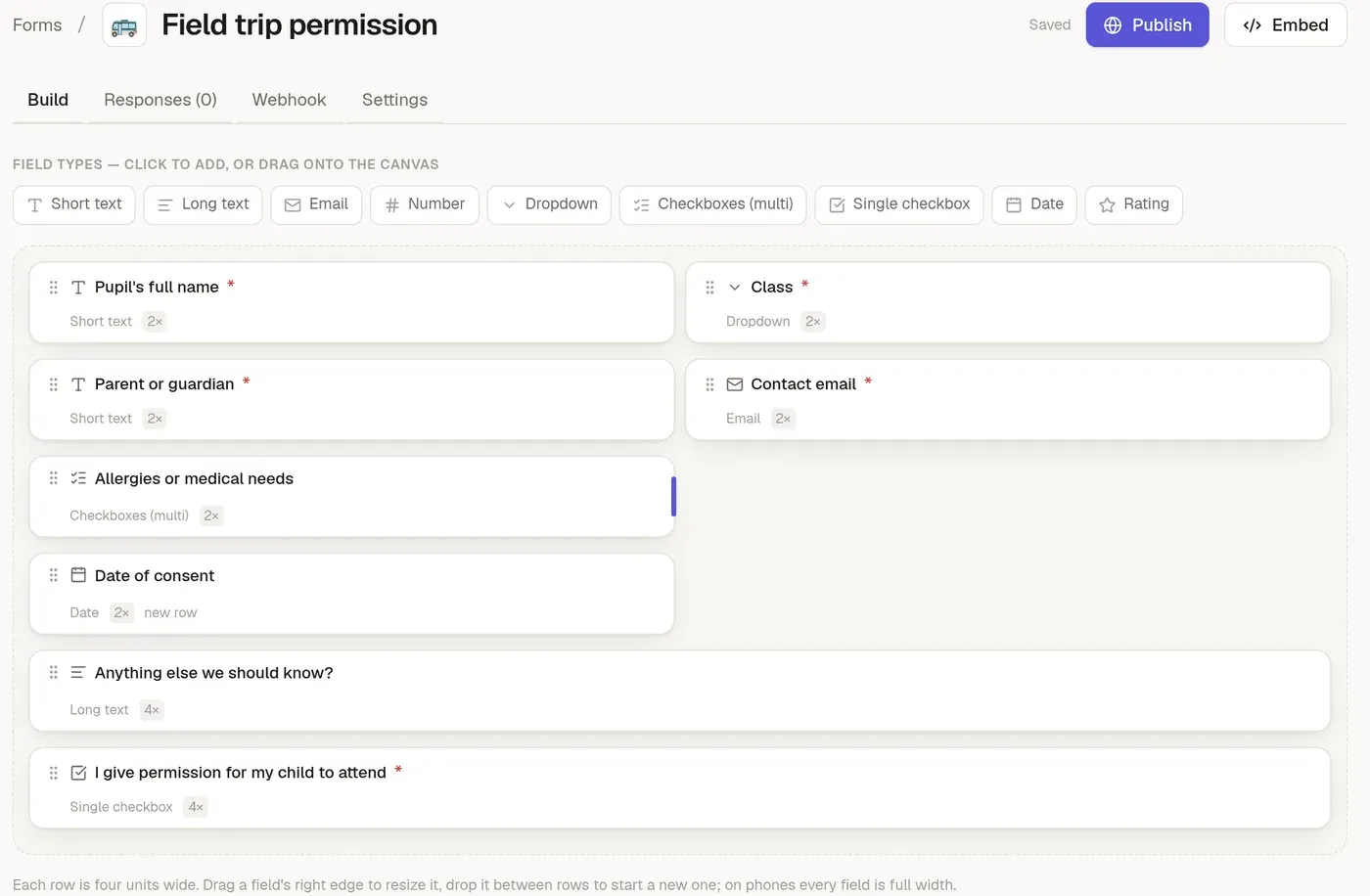
Design a form, publish it on a link or embed it, and get every response by email and signed webhook.
Agents
Type @ in any page, pick an agent, and write what you need. It works in the background, shows its progress to everyone on the page, and replaces your request with its answer.
Pages
A clean editor for the way you actually write: tables, callouts, task lists, Mermaid and draw.io diagrams, and links between pages that follow renames.

Fields and boards
Add typed fields to any page, such as a status, a date or an owner. Then lay pages out on a board and move them from column to column as the work moves.

Forms
A drag-and-drop designer with a four-column grid, then a link or an embed. Every response can email you and call a signed webhook, with a delivery log.
Built for
From a daily log to a client update, one workspace holds the lot.
Daily logs become a client update in minutes, shared as a live page, with requests triaged in a form.
Standups, release notes and incident timelines drafted from what the team already wrote, with tasks carried forward.
Feedback forms, a triaged inbox with private notes, and a weekly summary.
Worksheets, question papers and flashcard decks drafted with an agent, then shared with students as a link.
An internal wiki and public docs from one place, readable by any MCP client.
Work through PDFs, Word and Excel files and the web in a chat that lives next to your pages.
Start a 14-day free trial, no card needed. Prefer a walkthrough first? We'll show you a setup that fits your work.