👥
Live co-editing
Several people in a page at once, with presence and cursors. No save button, no conflicts.
Features
Write, organise, publish and automate from one place. Here is what's inside.
Pages and collections
Plans, notes, specs and handbooks, with the formatting they need: tables, callouts, task lists, code, images, and diagrams that render from text.

Fields on pages
Add typed properties to a page: a subject, a grade, a due date, a teacher, a checkbox. They sit beside the text, so a page can be a document and a record at the same time.

Boards
A board turns pages into cards. Each column is a state, each card is a full page with its own fields, and moving a card changes its state for everyone looking at the board.
Boards are included in the Team and Business plans. See which plan allows how many →

Agent Mode
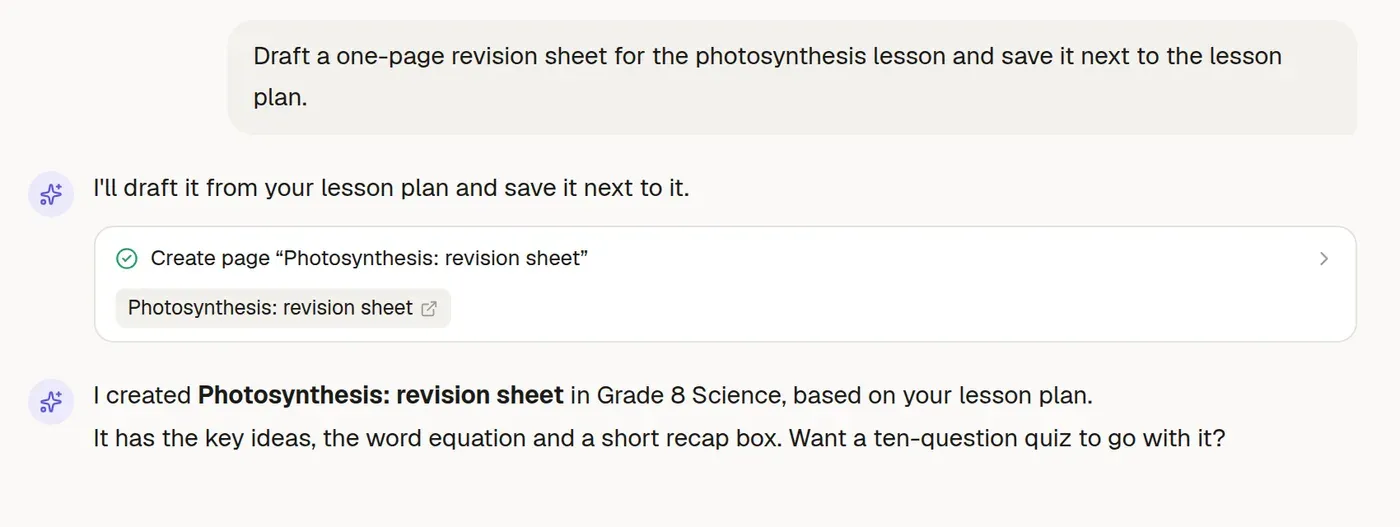
Ask the agent to draft, research, reorganise or build pages. It reads and writes in your workspace, searches the web, and asks before it changes anything.
Forms
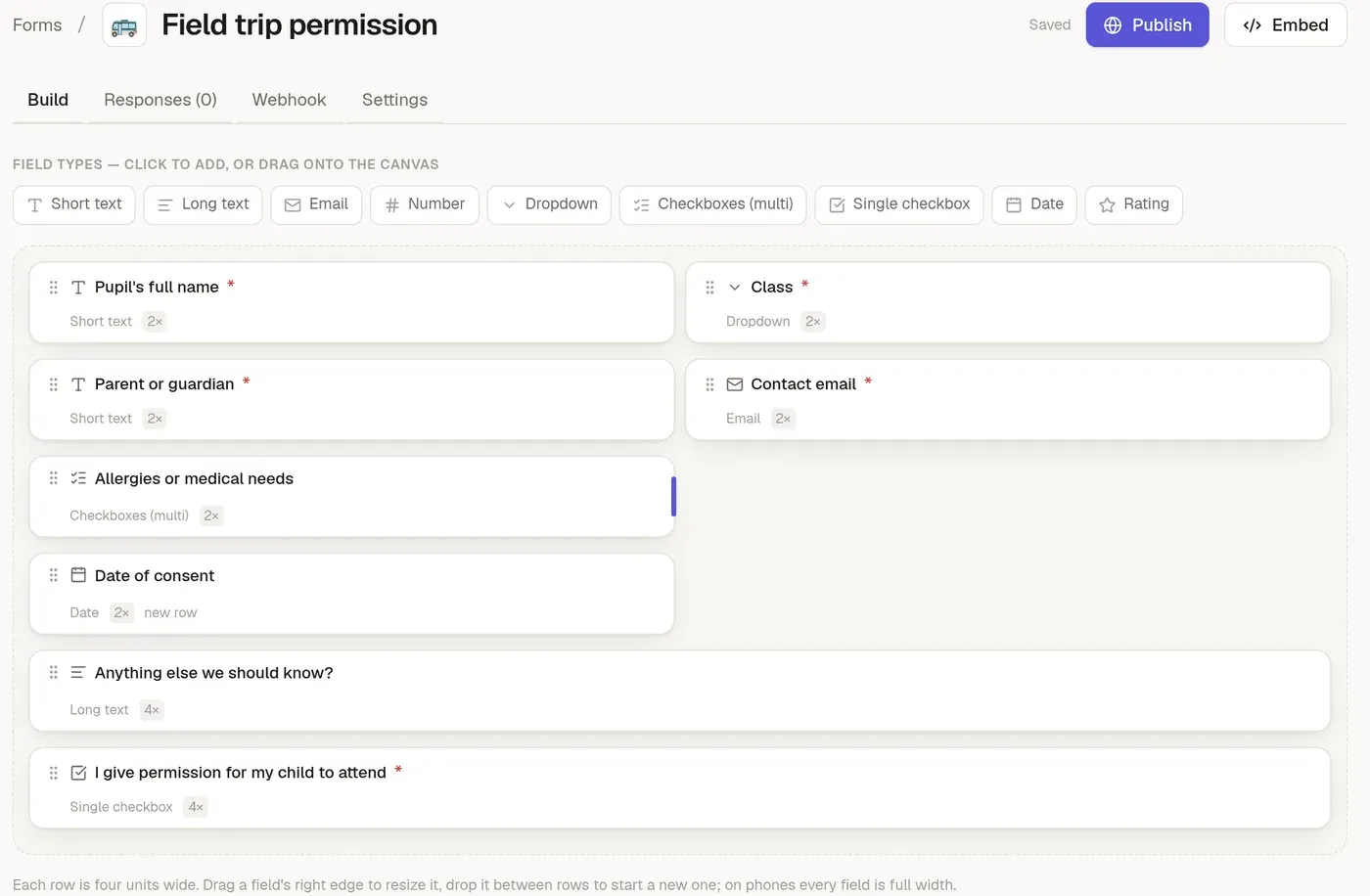
A drag-and-drop designer on a four-column grid, so a form can be one column on a phone and several on a desktop.
Notifications
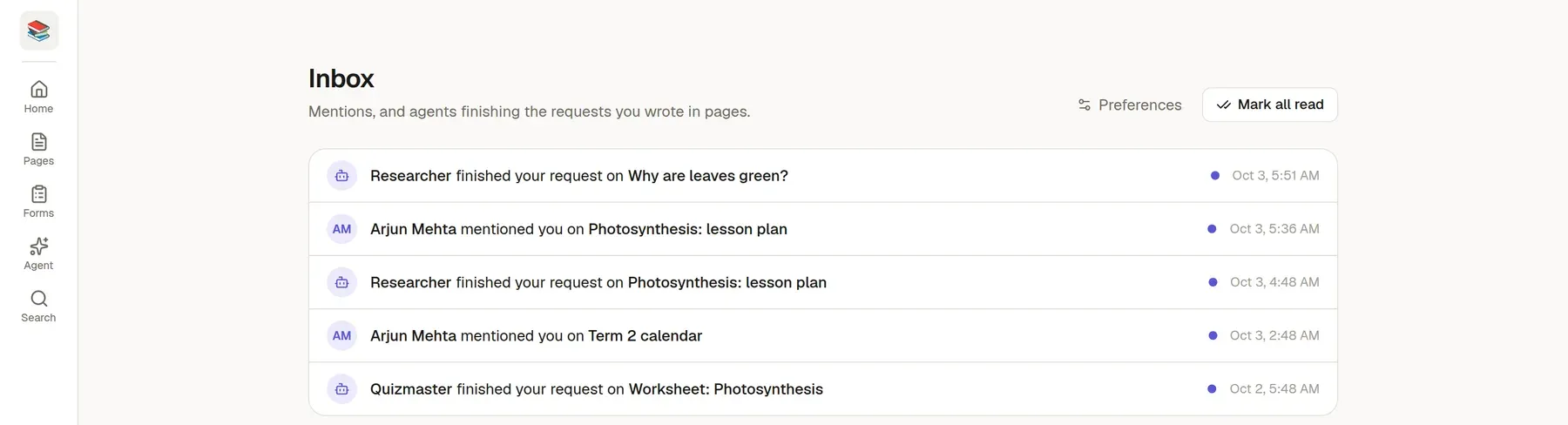
Mentions and finished agent requests land in an inbox with a live unread count, and mentions can email the person too. Each person chooses what they get.
And the rest
Several people in a page at once, with presence and cursors. No save button, no conflicts.
Group pages into collections, nest them as deep as you like, and share a whole collection with one click.
Start every new page from a gallery of 39 built-in templates or your own, and every new form from 17 ready-made ones. Agents can use them too.
Mermaid flowcharts and charts, and draw.io diagrams you edit in place. They render on public pages too.
Write or sketch by hand with a pen or finger: highlighter, eraser and colours, with your palm ignored. It saves into the page as an image you can edit again.
Size images and charts to fit the column and place them left, centre or right.
Find a page as you type: titles first, then text, with your matches highlighted and recent or often-opened pages ahead.
Colour-tag pages, and restore anything you delete from the trash.
Link one page to another and the title stays right, even after the target is renamed or moved.
Share a page or collection with a person or the whole workspace at the level they need. Deleting stays with the author and admins.
Comment on selected text or on a page, reply, mention teammates, resolve threads, and get them in your inbox.
Put a finished page away without deleting it. It stays read-only, out of the way, and one click brings it back.
Freeze a page, a collection, a form or a card so nothing changes, not even by its author or an agent, until you unlock it. One click, or Ctrl+Shift+L. An agent that needs to change something locked has to ask you first.
Press Ctrl or ⌘ and K to find pages, forms and boards, and to run commands: new page, go to the inbox, switch workspace or theme.
Install it from the browser. A bottom bar takes you between Home, Pages, Boards, Forms, Sheets and Agent, one button creates things, and you can share a link into TheNoteMaker from other apps.
Versions are saved as you write and before any agent or import changes a page. View any version on the page and restore it.
Open a chat beside any page and the agent reads its current content as you edit.
Attach PDF, Word and Excel files and images to a chat and the agent works from them.
Every @agent run lists the searches it made and the pages it read or changed, so you can see how an answer came about. People see only the pages they could open.
Connect claude.ai, ChatGPT or any MCP client to a workspace. Sign in once and pick the workspace.
Six ready-made boards: IT projects, CRM sales, HR hiring, support tickets, onboarding and leave requests. Edit them, or make your own.
Point a form at a board. Each response becomes a card in the column you choose, with the answers filled into its fields.
The board's owner and the people you pick get an inbox notice for every new card.
Multiple-choice questions with explanations and a score screen. Ask an agent to write one from a page.
Turn any page into a deck. Flip, mark got it or missed it, and redo the missed ones. Ask an agent to build one from a page.
One click starts today's log and carries your unfinished tasks forward from the last one.
Bring in Markdown and Word files as pages, with their pictures, or pull pages and databases straight from your Notion account. Move a whole collection between workspaces as an archive, on plans that include transfers. Take pages out as Markdown or HTML, print any page to PDF, and download form responses as CSV.
Mark form responses handled and add private notes. The sender never sees either.
Who signed in, shared, exported, deleted or opened what, with an integrity check and a signed stream to your own system, on the plans that include it.
Email and password with two-factor authentication, Google, Microsoft or GitHub where enabled, and owners, admins and members.
Each workspace has a plan with visible storage, member, form and AI budget limits.
Start a 14-day free trial, no card needed. Prefer a walkthrough first? We'll show you a setup that fits your work.