Each enquiry from your form becomes a card in Lead
Use cases · Small businesses
Replace paper registers and scattered chats with one workspace.
Take enquiries and orders through a form, keep the answers in a table, write down how things are done so a new person can follow, and share what customers need to see as a link.
14 days free · no card needed
- Board CRM sales
- Form Order form
- Pages Opening and closing checklist
- Agent Ask in any page
Boards · Team plan and above
Never lose track of an enquiry again.
Every enquiry and order request from your form becomes a card: Lead, Qualified, Proposal, Negotiation, Won. You can see what is waiting for a reply and what was lost, without a spreadsheet.
LeadQualifiedProposalNegotiationWonLost
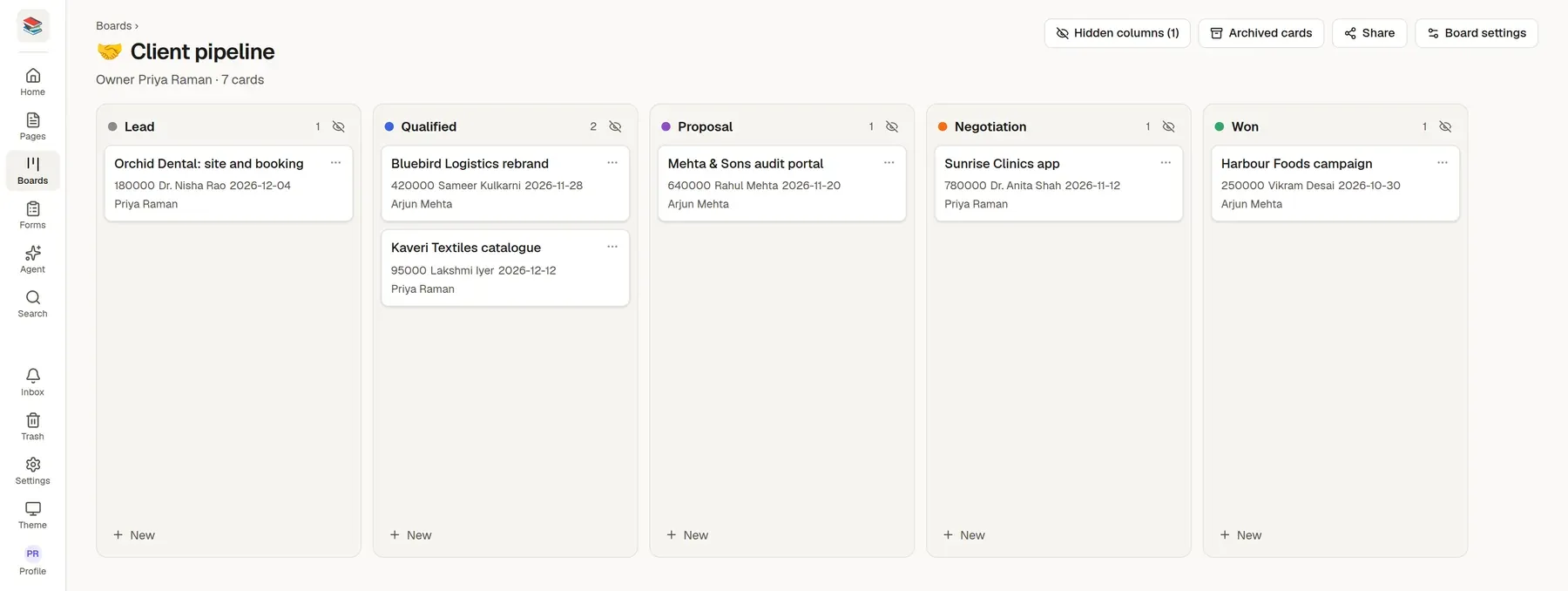
Deal value and expected close on every card
Share the board with a partner or an assistant, and keep everything else private
Each card shows deal value, contact, expected close, account owner. Start from the CRM sales board template and change anything.
How teams like yours set it up
Make a form
Start from the Order form, Enquiry or Booking request form template and adjust it in the drag-and-drop designer. Share the link in your chats or embed it on your site.
Keep the answers in a table
Send responses into a sheet. You can also import an Excel or CSV file you already have.
Write the procedures
Use the Opening and closing checklist and SOP templates so anyone can follow the steps, and start your returns policy from the Returns and refunds policy template (check it for your country).
Agents and pages
Forms that fill a table for you.
Every answer becomes a row in a sheet with the same columns as the form. Sort, edit and export to Excel when you need to.
Turn these notes into a step-by-step procedure for opening the shop
- Answers by email as they arrive
- Works in a phone browser and installs like an app
- Nothing is deleted if you stop paying: the workspace turns read-only and you can still export
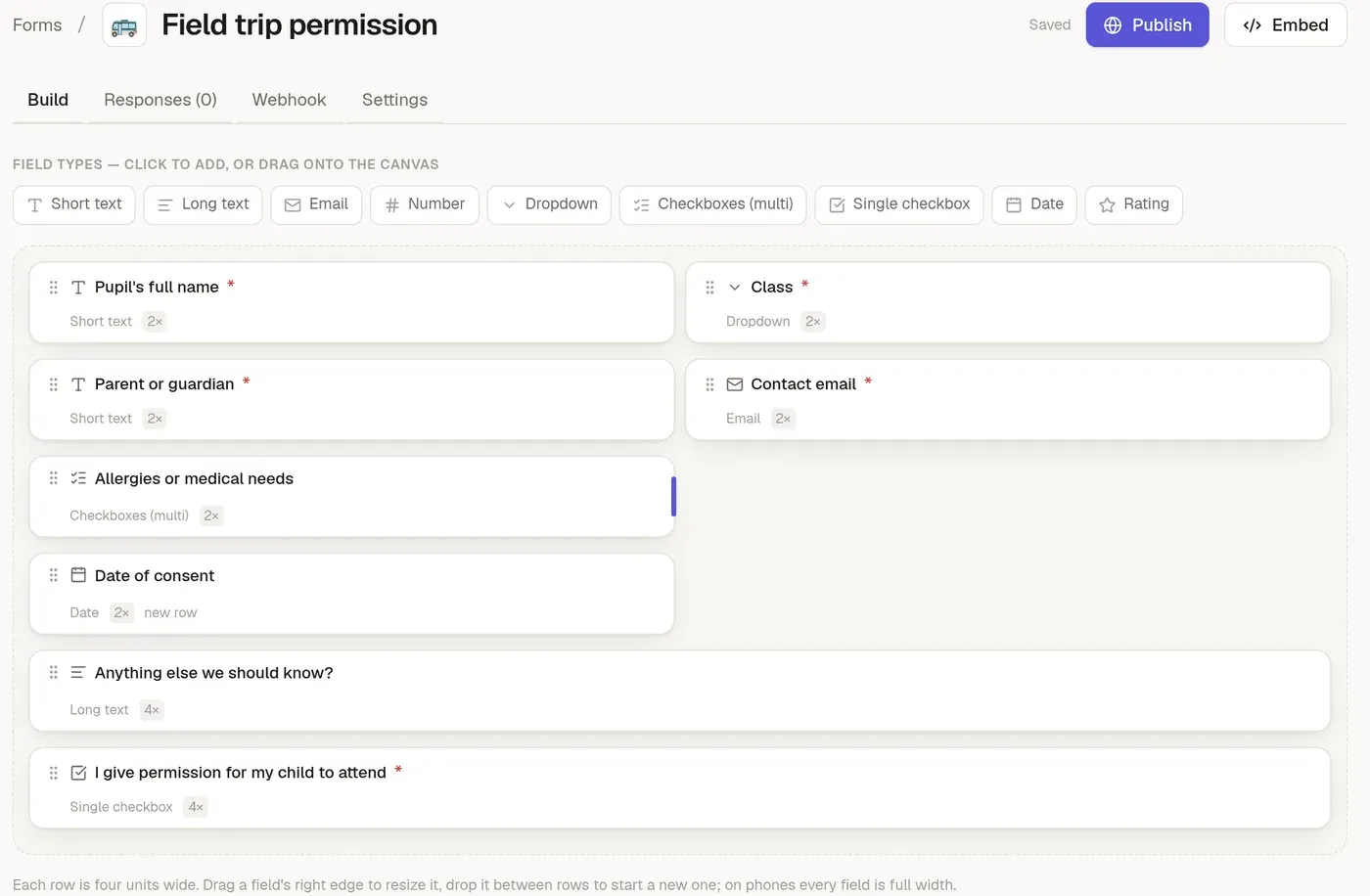
Start from a template
Pick one when you create a page or a form, or ask an assistant to start from it. Change anything afterwards.
Page template
Opening and closing checklist
The tasks to open and to close the shop or office, tick them off each day.
Sections
- Opening
- Closing
- Notes
Page template
Quote or estimate
What you will supply, for how much, until when, and on what terms.
Sections
- What we will do
- Items
- Terms
- To accept
Form template
Order form
What they want, how many, and how to deliver or collect it.
Questions
- Your name
- Phone or WhatsApp number
- Email (for the confirmation)
- What would you like to order?
- How many?
- Needed by
- and 3 more
More page templates
- Returns and refunds policy
- Weekly sales and stock review
- SOP / runbook
- Onboarding checklist
More form templates
- Enquiry
- Booking request
- Contact us
Why teams like yours switch
Orders and enquiries arrive everywhere
Calls, chats and notes on paper, with no single list.
How things are done lives in one person's head
When they are away, nobody knows the steps.
You are not technical
A tool that needs a developer is a tool you will not use.
Try it with your own material
Start a 14-day trial with no card, import a few files and see if it fits.