Bug reports from a public form land in Backlog as cards
Use cases · Software and ops teams
Documentation your team, and your coding assistant, can actually use.
Run standups from a daily log that carries unfinished work forward, keep decisions and postmortems in one tree, and connect Claude Code, Cursor or VS Code so your assistant can read and update the same pages.
14 days free · no card needed
- Board IT projects
- Form Bug report
- Pages Product requirements (PRD)
- Agent @Planner
Boards · Team plan and above
A release board your whole team can read.
Plan a release or a sprint as a board of cards. Each card is a page, so the design notes, the decision and the pull request link live with the task, and a postmortem can be linked straight from the card that caused it.
BacklogTodoIn progressIn reviewDone
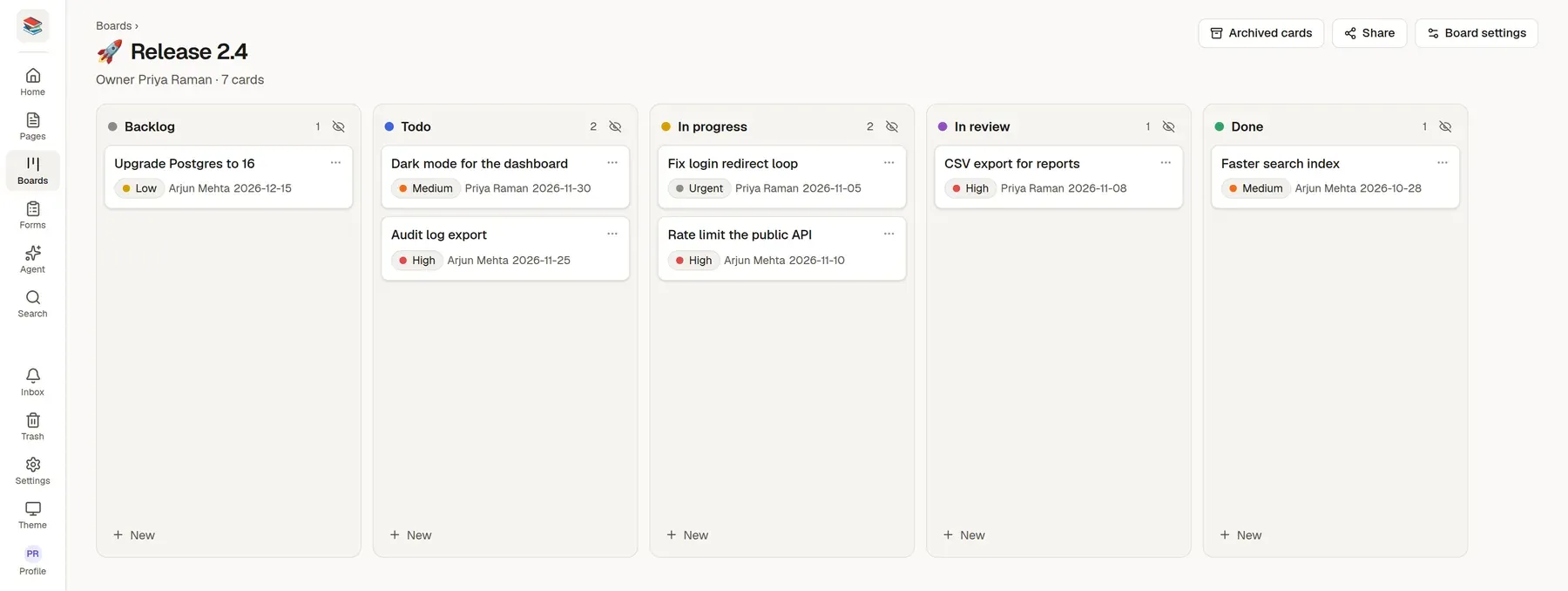
Priority, assignee and due date on every card
Agents and your coding assistant can create and move cards through MCP
Each card shows priority, assignee, due date. Start from the IT projects board template and change anything.
How teams like yours set it up
Start the day with Today's log
One click carries every unfinished task from yesterday into today's Planned list. Nothing is dropped.
Keep decisions and postmortems as pages
Use the Product requirements, Technical design, Decision record, Incident postmortem and Sprint retrospective templates, and diagrams in Mermaid or draw.io.
Connect your assistant
Create a token in Settings, add the MCP server to Claude Code, Cursor or VS Code, and it can search, read and edit pages.
Agents and pages
Docs that agents can read and write.
TheNoteMaker has a built-in MCP server. Pages come back as Markdown and go back in as Markdown, and an edit lands live in the editor of anyone who has the page open.
@Planner draft today's plan from my last log: open items first, then what's at risk
@Researcher list the pull requests merged this week and group them for release notes
- Mermaid and draw.io diagrams that follow light and dark mode
- A public changelog or advisories collection with search
- A built-in MCP server, so your coding assistant can read and write your docs

Start from a template
Pick one when you create a page or a form, or ask an assistant to start from it. Change anything afterwards.
Page template
Product requirements (PRD)
The problem, who has it, what to build and what is still open.
Sections
- Problem
- Goals
- Not goals
- Users and scenarios
- Requirements
- How we will know it worked
Page template
Incident postmortem
Blameless write-up: impact, timeline, root cause and actions.
Sections
- Summary
- Impact
- Timeline
- Root cause
- What went well
- What went badly
Form template
Bug report
Steps to reproduce, what you expected and what happened, with version details.
Questions
- Short summary
- Steps to reproduce
- What you expected
- What happened instead
- Version or link
- Browser or device
- and 2 more
More page templates
- Daily log
- Technical design
- Decision record
- Sprint retrospective
- Release notes
- Bug report
More form templates
- Feature request
Why teams like yours switch
Docs rot in a tool nobody likes
The wiki is slow, search is poor, and the real answer is in someone's head.
Incidents leave no timeline
After the fire, nobody remembers the order of events, so the postmortem is guesswork.
Your assistant cannot see your docs
Copying pages into a chat window by hand does not scale.
Try it with your own material
Start a 14-day trial with no card, import a few files and see if it fits.